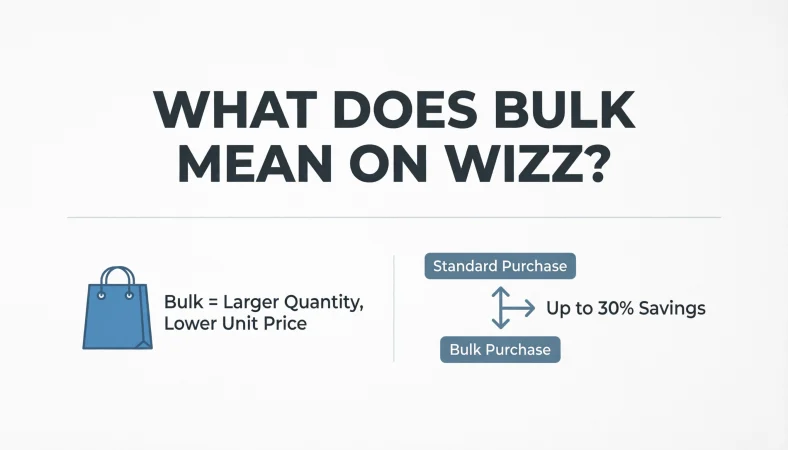
On Wizz, “Bulk” refers to the “Bulk Chat” feature. This function allows users to send a single message to up to 100 profiles at once. It is designed for broadcasting announcements or making new friends quickly but is generally a paid feature that costs WiCoins or is available weekly with a Gold subscription .
You are scrolling through Wizz, swiping left and right, when you see an option that says “Bulk Chat.” Immediately, you might wonder: what exactly is this? Does it cost money? Will I get banned if I use it?
If you are trying to expand your social circle on the app, understanding the meaning of “Bulk” is essential. This feature is one of the most powerful tools on the platform for broadcasting your message to a massive audience instantly. However, many users misuse it, turning it into spam rather than a genuine connection tool.
In this comprehensive guide, we will explain everything you need to know about Bulk on Wizz. We will cover the definition, how to send a Bulk message, the cost (how to use WiCoins), the difference between regular messaging and Bulk Chat, and the best strategies to avoid being marked as spam.
Quick Answer Box
What Does Bulk Mean on Wizz?
So, what does bulk mean on Wizz? In the context of the app, “Bulk” is shorthand for the Bulk Chat function.
Unlike the regular chat feature that limits you to a one-on-one conversation, the Bulk Chat feature functions as a mass messaging tool. It allows you to select up to 100 recipients from your connections or chat queue and send them the exact same message simultaneously .
The primary purpose of this feature is efficiency. Instead of spending 10 minutes copying and pasting a message to 50 different friends, you can compose one message and blast it out to a large group. Consequently, it is a feature designed for those looking to make a lot of new friends quickly or to share an announcement with their followers .
How it Differs from Regular Messaging
To better understand this, we need to look at the difference between the two chat modes. Regular messaging on Wizz is strictly 1:1 (one user to one user). Bulk Chat, in contrast, is 1:Many (one user to up to 100 users) .
| Feature | Regular Messaging | Bulk Chat |
|---|---|---|
| Recipients | 1 person | Up to 100 people |
| Time Required | High (manual) | Low (automated) |
| Cost | Free | Paid (WiCoins or Gold) |
| Purpose | Deep conversations | Broadcasts/Promotion |
Context & Usage: When Do You Use It?
The context of using “Bulk” on Wizz usually revolves around social expansion and broadcasting. You would typically use this feature in the following scenarios:
- Making New Friends: If you have just joined Wizz and want to be popular quickly, sending a bulk message asking people to chat is a fast way to get responses.
- Announcements: Maybe you are hosting a virtual event, starting a group chat on another platform like WhatsApp, or just sharing a link to your Instagram.
- Promoting Content: For users who use Wizz as a growth tool, bulk messaging is a way to promote their music, art, or social media channels.
However, it is important to note that because this feature is so powerful, the app restricts its free usage. Sending a Bulk Chat is not free; it typically requires you to pay with WiCoins or have a Gold subscription .
Real-Life Examples (Conversation Scenarios)
To illustrate how this works, here are a few real-life dialogues that might start with a Bulk Chat.
Conversation Example 1: The Friend Request
User Action: Sends Bulk Chat to 100 people.
Message: “Hey! I’m trying to make new friends on Wizz, hmu if you’re down to talk about anime or music!”
Response (Varies):
- User 1: “Yo! I love anime, what are you watching?”
- User 2: “Hey! What kind of music?”
- User 3: “Hi.”
Conversation Example 2: Promotion
User Action: Sends Bulk Chat promoting a YouTube channel.
Message: “Ngl, I just started a gaming channel, and I need subscribers. If you like Fortnite, check my bio for the link!”
Response:
- User 1: “I play Fortnite, I’ll check it out.”
- User 2: “Stop spamming.”
Conversation Example 3: Event Invite
User Action: Sends Bulk Chat inviting people to a Discord server.
Message: “We are hosting a massive 100-player Among Us game tonight. Join the Discord link in my bio!”
Response:
- User 1: “I don’t use Discord, sorry.”
- User 2: “Sent you a friend request.”
Platform-Specific Meaning
Unlike platforms like WhatsApp where “bulk” might refer to business API messaging, on Wizz, it is specifically tied to the user interface and the swiping mechanic.
On WhatsApp, bulk messaging usually involves business solutions or broadcast lists, which are limited to 256 contacts. It is often used for business promotions rather than casual friend-making.
Snapchat
Snapchat does not have a specific “Bulk Chat” button. Instead, users might use the “Send to” feature to send a snap to multiple friends at once, but it’s limited to a selected group manually.
TikTok
There is no Bulk Chat on TikTok. However, “bulk” engagement on TikTok often refers to third-party services for buying likes or views, which is strictly against the platform’s rules.
Alternative Meanings
While the primary meaning of “bulk” on Wizz is the messaging feature, the word has other connotations. Understanding these “Natural Language Processing” (NLP) variations helps search engines grasp the context.
- Mass Quantity: Refers to the volume of messages. (e.g., “He sends messages in bulk.”)
- The Feature: Refers specifically to the “Bulk Chat” button. (e.g., “I clicked Bulk to reach 100 people.”)
- Synonym: Broadcast, Mass Message, Blast.
How to Send a Bulk Chat on Wizz (Step-by-Step)
So, how do you actually send a Bulk Chat? Although the feature seems complex, it is relatively straightforward. Here is a step-by-step tutorial:
- Open Wizz: Launch the app on your mobile device.
- Access the Chat Queue: Swipe up on the screen to access the chat interface where you see profiles .
- Locate the “Bulk Chat” Option: Look for the specific button or tab labeled “Bulk Chat” (usually at the top of the screen) .
- Compose Your Message: Type out the message you want to send. You can add text, emojis, or images .
- Select Recipients: The app will automatically select the next 100 profiles in your queue or connections. You can often manually select or deselect who receives the message .
- Send: Hit the send button.
- Pay: If you do not have a Gold subscription, the app will prompt you to spend WiCoins to complete the action .
Pricing: How Much Does Bulk Cost?
This is arguably the most important question for users. Sending a Bulk Chat is not a free feature, and the app has implemented a paywall to prevent spam.
Here is the breakdown of the cost structure on Wizz:
- Pay per Use (WiCoins): Users can purchase a “Bulk Chat” bundle using WiCoins. Specifically, you can send 100 bulk chats for 250 WiCoins .
- Gold Subscription: If you subscribe to the Wizz Gold plan, you get a specific benefit. Gold subscribers can send one Bulk Chat per week for free .
- Bonus Packs: For heavy users, there is often an option to buy 800 coins, which allows access to five Bulk Chats, offering a better value if you plan to use the feature frequently .
Misinterpretations of “Bulk” on Wizz
There are a few common misconceptions about this feature. For instance, some new users think “Bulk” means you are sending a message to all Wizz users globally. In reality, you are limited to 100 profiles that you are connected with or are in your chat queue .
Another misinterpretation is that it is anonymous. When you send a Bulk Chat, your profile picture and username are clearly visible. Therefore, the recipient knows exactly who is sending the message.
Related Terms
- Bulk Messaging: Sending messages in large quantities.
- Mass Message: A message sent to a large group.
- Broadcast: A message intended for a wide audience.
- Blast: Slang for sending a promotional message to many people.
How to Respond to a Bulk Message
Receiving a bulk message is a common occurrence on Wizz. If you receive one, how should you respond?
- Check the Sender’s Profile: If the message seems interesting, check the profile picture and bio. If they look like a genuine person, reply.
- Be Cautious: If the message contains a suspicious link (like “Free iPhone” or “Fake crypto giveaways”), report the user.
- Reply Directly: If you want to engage, reply directly to the chat. Since it’s a Bulk Chat, the conversation quickly becomes a standard 1:1 chat once you reply.
When NOT to Use It (Spam Prevention)
You should avoid using Bulk Chat in certain scenarios to protect your account. Wizz has an anti-spam system, and if users frequently report your messages, you could get restricted or banned.
- Don’t use it for hate speech: Inappropriate content will get you banned.
- Don’t spam links: Repeatedly sending external links without being asked can trigger spam filters.
- Don’t send to people who don’t speak your language: It comes across as lazy.
- Avoid excessive use: Sending multiple Bulk Chats a day will likely lead to reports.
Usage Tips for Success
How can you use Bulk Chat effectively without being annoying? Here are some tips:
- Personalize it: Instead of a generic “Hi,” ask a question. For example: “Which is better, Marvel or DC?” This drives engagement.
- Be Creative: Instead of copying and pasting, try to use the “Bulk” feature to create a fun game. “I’m doing a Q&A today, ask me anything.”
- Use Emojis: Emojis make the text more visually appealing.
- Time it Right: Sending a Bulk Chat during peak hours (evenings/weekends) yields better response rates.
The Risk of Being Marked as Spam
While Bulk Chat is a legitimate feature, users frequently misuse it. Consequently, Wizz has safeguards in place. If multiple recipients reply with “Stop” or report the message as spam, your account may lose its ability to send Bulk Chats, or worse, get banned.
Pro Tip: If you are sending a Bulk Chat, consider adding a line like “Just trying to make friends, don’t hate!” to disarm potential reports.
FAQs
Is the “Bulk” feature on Wizz free?
No. You must either use WiCoins (250 per chat) or have a Gold subscription to get one free bulk chat per week .
Will people know it’s a Bulk message?
In most cases, the interface shows the “Bulk” label. However, the message itself appears in the regular chat inbox of the recipient. They will know it’s a bulk message because it is sent from a user who they may not have a long chat history with.
Does “Bulk” mean I can send messages to strangers?
Yes. The system allows you to send Bulk Messages to people in your chat queue, which usually consists of profiles you have recently matched with or are connected to .
How many people can I message in bulk?
You can send a message to up to 100 people at the same time .
Is using “Bulk” against Wizz community guidelines?
No. It is a legitimate feature. However, using it to send offensive content or spam is against community guidelines .
Can I get banned for using Bulk Chat?
If you use it to spam or harass other users, yes. Otherwise, it is a legitimate feature provided by the app.
What are WiCoins?
WiCoins are the in-app currency used to pay for features like Bulk Chat and to boost your profile .
Can I reply to a Bulk message?
Yes, replies go to the sender’s regular inbox, allowing a 1:1 conversation to begin.
What is the “Gold Subscription”?
Gold is a paid subscription that unlocks premium features, including one free Bulk Chat per week.
If I block a Bulk sender, do they know?
No. If you block them, they will not receive a notification. They just cannot message you again.
Conclusion
Understanding “what does bulk mean on Wizz” is crucial for anyone serious about making friends on the platform. The Bulk Chat feature is a paid tool that allows you to broadcast a message to up to 100 users simultaneously . Whether you are promoting content or just trying to get a conversation started, this feature can significantly speed up your social growth provided you use it responsibly.
Remember, with great power comes great responsibility. Avoid spamming or sending inappropriate content. Instead, use the feature to engage in fun, inviting conversations that make others want to reply. Happy Wizz-ing.
Discover More Related Articles:
- Fascist Meaning | Historical Background & Modern Usage In 2026
- FAFO Meaning | Text, Social Media & Everyday Conversations In 2026