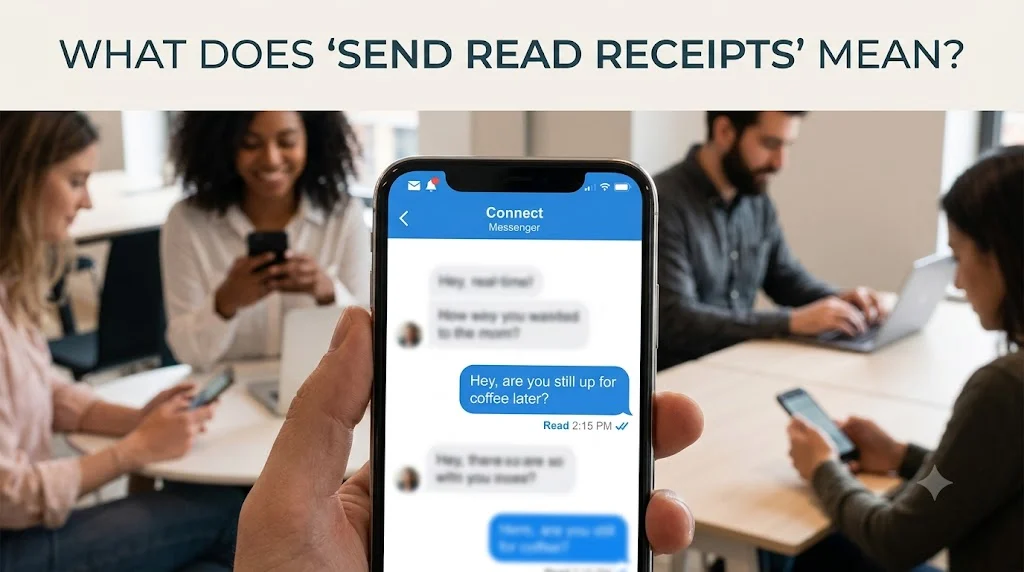
Have you ever noticed the phrase “Send Read Receipts” while using your phone and wondered exactly what it means? You’re not alone. Millions of people see this option in messaging apps, email services, and smartphones every day. Yet many aren’t sure whether they should enable or disable it.
Understanding what does send read receipts mean is important because it changes how you communicate with friends, family, coworkers, and clients. While read receipts can improve communication by confirming that someone has seen your message, they can also create social pressure or reduce your privacy.
Moreover, different platforms handle read receipts differently. For example, Apple’s Messages app, WhatsApp, Facebook Messenger, Instagram, Gmail, Microsoft Outlook, and many other services each use their own approach. As a result, the meaning stays similar, but the settings and behavior vary from platform to platform.
In this complete guide, you’ll learn:
- What send read receipts means
- How read receipts work
- Why apps use them
- When to enable or disable them
- Platform-specific explanations
- Real-life examples
- Common misunderstandings
- Privacy considerations
- Frequently asked questions
- Best practices for everyday communication
Whether you’re an iPhone user, Android user, business professional, or simply curious, this guide covers everything you need to know.
Quick Answer Box
| Feature | Explanation |
|---|---|
| Meaning | Lets the sender know you’ve opened their message. |
| Purpose | Confirms a message has been read. |
| Common Platforms | iMessage, WhatsApp, Messenger, Instagram, Gmail, Outlook, Signal, Telegram |
| Can You Turn It Off? | Usually yes. |
| Example | You open a message, and the sender sees “Read at 2:15 PM.” |
| Tone | Informative communication feature, not slang. |
What Does Send Read Receipts Mean?
The phrase send read receipts refers to a communication feature that tells the sender when you have opened and viewed their message.
Simply put:
- The sender writes a message.
- The message arrives on your device.
- You open and read it.
- Your device automatically informs the sender that you’ve read it.
Consequently, instead of wondering whether you saw the message, the sender receives confirmation.
For example:
Without Read Receipts
John:
Are we still meeting at 7?
You read the message.
John has no idea whether you’ve seen it.
With Read Receipts
John:
Are we still meeting at 7?
You open it.
John sees:
Read 6:42 PM
Now John knows you’ve viewed the message.
Full Definition of Send Read Receipts
A read receipt is an electronic confirmation that indicates a recipient has opened and viewed a digital message.
Unlike delivery confirmations, read receipts focus on whether someone actually viewed the content rather than whether it simply arrived.
There are generally three stages in modern messaging:
- Message Sent
- Message Delivered
- Message Read
Each stage tells the sender something different.
Sent
The message successfully leaves your device.
Delivered
The message reaches the recipient’s device.
Read
The recipient opens the conversation and views the message.
Therefore, read receipts provide the highest level of confirmation.
Why Do Read Receipts Exist?
Technology companies introduced read receipts to improve digital communication.
Before smartphones became popular, people often wondered:
- Did my message send?
- Did they receive it?
- Have they seen it?
- Should I send another message?
Read receipts answer one of these questions immediately.
They tell the sender:
“Yes, your message has been opened.”
As a result, communication often becomes faster and more efficient.
How Read Receipts Work
Although every platform works slightly differently, the basic process stays nearly the same.
Step 1: You Receive a Message
Someone sends you a message.
Your phone receives it.
Step 2: You Open the Conversation
Once you tap the conversation, the app recognizes you’ve viewed the message.
Step 3: Confirmation Is Sent
If read receipts are enabled, the app sends a small confirmation back to the sender.
This confirmation may appear as:
- Read
- Seen
- Viewed
- Read at 3:12 PM
- Seen Today
Step 4: Sender Sees the Status
Finally, the sender knows you have opened the message.
This process usually takes only a second.
Why People Use Read Receipts
There are several practical reasons people enable this feature.
Better Communication
First, read receipts eliminate uncertainty.
Instead of asking:
“Did you get my message?”
People already know you saw it.
Faster Responses
Knowing someone has read your message often encourages quicker replies.
For urgent situations, this can be especially helpful.
Business Communication
Many professionals rely on read receipts to confirm clients or coworkers have viewed important updates.
For example:
- Meeting reminders
- Project deadlines
- Schedule changes
- Emergency notifications
Family Safety
Parents often use read receipts to make sure their children have seen important messages.
Similarly, family members can confirm someone safely received travel updates.
Read Receipts vs Delivered Messages
Many people confuse these two terms.
However, they mean very different things.
| Delivered | Read |
|---|---|
| Message reached the phone | Message was opened |
| Doesn’t prove anyone saw it | Confirms someone viewed it |
| Automatic delivery | Requires opening the conversation |
| Earlier status | Final confirmation |
For example:
Sarah sends a message.
Tom’s phone receives it.
Status:
Delivered
Tom hasn’t looked at his phone yet.
One hour later, Tom opens the chat.
Status changes to:
Read
Now Sarah knows Tom viewed it.
Context and Everyday Usage
Most people encounter read receipts without realizing how often they’re used.
Here are common situations.
Friends
Friend:
Are you free tonight?
You read it.
Friend immediately knows you’ve seen the invitation.
Family
Mom:
Let me know when you get home.
You arrive safely.
You open her message.
She sees it has been read.
Therefore, she feels reassured even before you reply.
Workplace
Manager:
Please review the report before noon.
You read it.
Your manager knows you’ve received the request.
School
Teacher:
Tomorrow’s assignment has changed.
Students who have read receipts enabled confirm they’ve viewed the announcement.
Emotional Meaning Behind Read Receipts
Interestingly, read receipts have created new social expectations.
People sometimes interpret them emotionally.
For example:
- “They read it but didn’t reply.”
- “Maybe they’re busy.”
- “Did I say something wrong?”
- “Why haven’t they answered yet?”
Although read receipts only confirm someone viewed a message, people often assume much more.
Therefore, it’s important not to jump to conclusions.
Someone may have:
- Been driving
- Been working
- Been in class
- Needed time to think
- Accidentally opened the message
Reading a message doesn’t always mean someone can respond immediately.
Platform-Specific Meaning
Different apps use read receipts in slightly different ways.
iMessage (Apple Messages)
Apple calls this feature Send Read Receipts.
When enabled:
- Sender sees “Read.”
- Timestamp often appears.
- Works only with iMessage conversations (blue bubbles).
Users can enable it for everyone or, in newer iOS versions, choose it for individual contacts.
Android (Google Messages)
Google Messages supports read receipts through RCS (Rich Communication Services).
When both users have RCS enabled:
- Delivered status appears.
- Read confirmation appears.
- Typing indicators may also appear.
If either person doesn’t use RCS, the feature may not work.
WhatsApp uses check marks to indicate message status:
- ✓ One gray check = Sent
- ✓✓ Two gray checks = Delivered
- ✓✓ Two blue checks = Read
However, users can turn off read receipts in the privacy settings. One exception is group chats, where read information may still be available through the message info screen.
Facebook Messenger
Messenger often displays:
- “Seen”
- The recipient’s profile picture below the message
This lets you know the other person has viewed the conversation.
Instagram Direct Messages
Instagram shows:
- Seen
after the recipient opens the message. In many cases, users cannot completely disable read receipts, depending on the app’s current features.
Signal
Signal supports read receipts but keeps them optional.
If you disable your own read receipts, you also won’t see read receipts from others. This mutual privacy approach helps keep communication fair.
Telegram
Telegram supports read receipts in both private and group chats.
In one-on-one chats:
- ✓ One check mark = Sent
- ✓✓ Two check marks = Read
However, Telegram offers privacy-focused features in many other areas. Even so, individual read receipts in private chats generally remain active.
Gmail
Gmail offers read receipts primarily for:
- Google Workspace accounts
- Business organizations
- Schools
- Enterprise users
Unlike messaging apps, personal Gmail accounts usually don’t have built-in read receipts.
If enabled by an organization, the sender may receive a notification after the recipient opens the email.
Microsoft Outlook
Microsoft Outlook includes a Request a Read Receipt feature.
However, the recipient can often:
- Accept the request
- Decline the request
- Ignore it
Therefore, Outlook read receipts are not guaranteed.
Slack
Slack doesn’t use traditional read receipts in direct messages.
Instead, people often rely on:
- Emoji reactions
- Thread replies
- Status indicators
- Active presence
As a result, teams communicate without putting pressure on employees to respond immediately.
LinkedIn Messages
LinkedIn allows users to enable or disable read receipts.
When enabled:
- The sender knows you’ve viewed the message.
When disabled:
- Others cannot see when you’ve read their messages.
- Likewise, you won’t see their read receipts either.
This creates a balanced privacy experience.
Alternative Meanings
Although “send read receipts” almost always refers to message confirmations, the feature appears in different communication settings.
Text Messaging
The most common meaning is confirming that someone opened a text message.
Example:
“Read at 8:30 PM”
Business Email
Companies use read receipts to verify employees received:
- Contracts
- Reports
- Announcements
- Policies
Customer Support
Some support systems notify agents when customers open help articles or ticket responses.
This helps support teams decide whether additional follow-up is necessary.
Internal Company Communication
Many organizations use communication tools that track whether staff members viewed important updates.
Examples include:
- HR announcements
- Security alerts
- Training materials
Related Terms and NLP Variations
When searching online, people often use different phrases that mean nearly the same thing.
Here are common variations:
- What are read receipts?
- What does read receipt mean?
- What does seen mean in messages?
- What does message read mean?
- Read notification meaning
- Seen message meaning
- Message viewed meaning
- Read confirmation
- Seen receipt
- Message status explained
- Why does my message say read?
- What does read at mean?
- Can someone see I read their text?
- What is a read notification?
Understanding these related terms helps you recognize the feature regardless of the wording used by different apps.
Real-Life Conversation Examples
Conversation Example 1: Friends Making Plans
Emma:
Are we still going to the movies tonight?
Noah reads the message.
Status:
Read 4:17 PM
A few minutes later:
Noah:
Yes! I’ll meet you there at 7.
Here, the read receipt reassures Emma that Noah saw the plan before replying.
Conversation Example 2: Family Check-In
Dad:
Let me know when you arrive safely.
You open the message after reaching home.
Status:
Read 8:52 PM
Then you reply:
Just got home. Everything’s good!
The read receipt gives your dad peace of mind while he waits for your response.
Conversation Example 3: Workplace Communication
Manager:
Please submit today’s report before 5 PM.
You read the message.
The manager sees:
Read 9:03 AM
Later you respond:
I’ll have it ready before lunch.
In professional settings, this helps everyone stay informed without sending repeated reminders.
Conversation Example 4: Group Project
Alex:
Can everyone review the presentation tonight?
Three teammates read the message.
One replies immediately.
Another responds later.
A third waits until the next morning.
Although everyone saw the message, they answered at different times. Therefore, a read receipt doesn’t guarantee an instant response.
Conversation Example 5: Customer Service
Customer:
I’m checking on my refund status.
The support agent replies with an update.
The customer opens the message.
The system records it as Read.
The agent now knows the customer has seen the response and can wait before sending another follow-up.
How to Respond When Someone Has Read Your Message
Seeing that someone has read your message can trigger different reactions. However, responding calmly and thoughtfully leads to better communication.
If the Message Isn’t Urgent
Be patient.
People often read messages while:
- Working
- Driving
- Studying
- Shopping
- Spending time with family
They may plan to respond later.
If the Message Is Time-Sensitive
Wait a reasonable amount of time before following up.
For example:
“Just checking to make sure you saw my earlier message.”
This sounds polite rather than demanding.
If You Need an Immediate Answer
Be direct but respectful.
Example:
“Hi! I need your answer before 3 PM if possible.”
Clear expectations reduce misunderstandings.
If They Never Reply
Don’t automatically assume they’re ignoring you.
Instead, consider other possibilities:
- They’re busy.
- They forgot.
- They need more information.
- They accidentally opened the message.
- They’re waiting for the right time to respond.
A friendly follow-up is usually the best approach.
Common Misinterpretations
Read receipts are useful, but they don’t tell the whole story.
Misunderstanding 1: “They Read It, So They’re Ignoring Me.”
Not necessarily.
Someone may have opened the message during a meeting or while multitasking.
Misunderstanding 2: “Read Means They Agree.”
Reading a message doesn’t mean agreeing with it.
The person has only viewed the content.
Misunderstanding 3: “They Have Plenty of Time.”
Many people quickly read notifications but don’t have time to type a thoughtful reply.
Misunderstanding 4: “Read Receipts Are Always Accurate.”
Sometimes they aren’t.
Technical issues, syncing delays, or app glitches can delay status updates.
Misunderstanding 5: “Everyone Uses Read Receipts.”
Many people disable the feature for privacy.
Others use apps that don’t support it.
When NOT to Use Read Receipts
Although read receipts can be helpful, they aren’t the best choice for every situation.
If You Value Privacy
Disabling read receipts gives you more control over when others know you’ve viewed their messages.
If You Feel Pressured
Some people feel obligated to reply immediately after reading a message.
Turning off read receipts can reduce that pressure.
If You Receive Many Messages
Professionals, creators, and customer support representatives may receive hundreds of messages each day.
Read receipts could create unrealistic expectations for immediate replies.
During Vacations
If you’re taking time off, disabling read receipts may help you disconnect without making others expect instant responses.
Privacy Tips and Best Practices
Read receipts are convenient, but it’s wise to think about your privacy.
Know Your App Settings
Each messaging platform has its own privacy controls.
Review your settings periodically so you understand who can see your activity.
Respect Other People’s Preferences
If someone has read receipts turned off, avoid pressuring them to enable the feature.
Everyone has different communication habits.
Don’t Rely Only on Read Receipts
A read receipt confirms that a message was opened not that it was fully understood.
For important conversations, ask for confirmation or feedback instead.
Use Them Wisely at Work
In professional environments, read receipts can improve accountability.
However, avoid using them to monitor coworkers unnecessarily, as this may create stress or reduce trust.
Remember That Timing Varies
People communicate differently.
Some reply within minutes.
Others prefer to answer after they’ve finished their current task.
Respecting those differences helps maintain healthy relationships.
Usage Tips for Read Receipts
Read receipts can improve communication when you use them thoughtfully. However, they work best when combined with good communication habits rather than as the only indicator of someone’s availability or interest.
Use Read Receipts for Important Conversations
Read receipts are especially helpful when the message contains:
- Meeting times
- Travel updates
- Appointment reminders
- Emergency information
- Time-sensitive requests
- Project deadlines
In these situations, knowing that someone has seen your message can reduce uncertainty.
Respect Response Times
Even if someone has read your message, avoid expecting an immediate reply.
For example, a coworker might read your message during a meeting and plan to respond afterward. Likewise, a friend may read your text while commuting but wait until they arrive home before replying.
Match the Situation
Different conversations call for different expectations.
For casual chats, there’s usually no need to worry about read receipts. However, for urgent matters, they can provide reassurance that your message has been seen.
Review Your Privacy Settings Regularly
Messaging apps frequently update their features. Therefore, it’s a good idea to review your privacy settings occasionally to ensure they match your preferences.
Communicate Clearly
Read receipts confirm that a message was opened, not that it was understood. If your message is important, ask a clear follow-up question or request confirmation.
Example:
“Please let me know once you’ve reviewed the document.”
This approach reduces misunderstandings.
Advanced Edge Cases
Although read receipts seem straightforward, there are situations where they may not work exactly as expected.
Reading from a Notification Preview
Some phones allow users to read part or all of a message from the notification screen.
Depending on the app, this may or may not trigger a read receipt.
Multiple Devices
If you’re signed in on several devices, opening a message on one device may send a read receipt across all devices.
For example:
- Read on an iPad
- Read receipt appears on the sender’s iPhone
Internet Connection Delays
Read receipts require an internet connection.
If your connection is weak, the receipt may appear several minutes or even hours later.
Group Chats
Group conversations often handle read receipts differently.
Some apps show:
- Who has read the message
- How many participants have seen it
- Individual timestamps
Others simply indicate that the message has been viewed without identifying everyone.
Archived Chats
Opening an archived conversation usually functions the same as opening any other chat. If read receipts are enabled, the sender may receive confirmation.
Muted Conversations
Muting notifications doesn’t disable read receipts.
If you open the conversation, the sender can still see that you’ve read the message (provided the feature is enabled).
Deleted Messages
If you delete a message after reading it, the sender may still see that it was read before deletion.
Airplane Mode
Some users attempt to read messages in Airplane Mode to avoid sending read receipts.
While this may work temporarily in certain apps, many modern messaging services sync your activity once you reconnect to the internet. As a result, this method isn’t always reliable.
Common Myths About Read Receipts
Myth 1: Read Receipts Always Mean Someone Read Every Word
Reality: A read receipt only indicates that the message was opened. It doesn’t confirm that the recipient carefully read or understood every detail.
Myth 2: Turning Off Read Receipts Makes You Invisible
Reality: Other indicators, such as “online” status, typing indicators, or active status, may still be visible depending on the platform.
Myth 3: Every App Supports Read Receipts
Reality: Many apps do, but not all. Some platforms use different indicators, while others don’t offer the feature at all.
Myth 4: Read Receipts Are Always Instant
Reality: Delays can occur because of internet connectivity, server synchronization, or device settings.
Myth 5: Businesses Always Receive Read Receipts
Reality: Business email systems often require both the sender and recipient to support the feature. Additionally, recipients may choose not to send a confirmation.
Best Practices for Healthy Digital Communication
Technology should support communication, not create unnecessary stress.
Keep these best practices in mind:
- Don’t judge someone based only on a read receipt.
- Give people reasonable time to respond.
- Respect personal privacy choices.
- Use clear, polite follow-up messages when necessary.
- Reserve urgent follow-ups for genuinely important situations.
- Remember that everyone has different communication habits.
Strong communication depends on trust and understanding not just technology.
FAQs
1. What does “Send Read Receipts” mean?
It means your messaging app or email service can notify the sender after you’ve opened and viewed their message.
2. Should I turn read receipts on or off?
It depends on your preferences. Turn them on if you value transparency and quick communication. Turn them off if you prefer more privacy and less pressure to respond immediately.
3. Can someone tell if I read their message when read receipts are off?
In most apps, no. If you’ve disabled read receipts, the sender typically won’t receive confirmation that you’ve opened the message.
4. What’s the difference between “Delivered” and “Read”?
Delivered means the message reached the recipient’s device.
Read means the recipient opened the message.
5. Do read receipts work for SMS text messages?
Traditional SMS usually doesn’t support read receipts. However, services like RCS on Android and iMessage on Apple devices do when both users have compatible settings enabled
6. Can I disable read receipts for one person?
Some apps, such as newer versions of Apple Messages, allow per-contact settings. Others only offer a global on/off option.
7. Why didn’t I receive a read receipt?
Possible reasons include:
- The recipient disabled read receipts.
- Their device isn’t connected to the internet.
- They haven’t opened the message.
- The app doesn’t support read receipts.
- A temporary technical issue occurred.
8. Are read receipts available in email?
Some business email services like Microsoft Outlook and Google Workspace support read receipts. However, personal email accounts may not include this feature.
9. Can read receipts improve communication?
Yes. They reduce uncertainty by confirming that a message has been viewed. However, they shouldn’t replace clear communication or respectful follow-ups.
10. Do all messaging apps use read receipts the same way?
No. Each platform has its own design, settings, privacy options, and terminology. Some display “Read,” while others use “Seen,” profile icons, timestamps, or check marks.
Conclusion
Understanding what does send read receipts mean helps you communicate more effectively in today’s digital world. At its core, a read receipt simply confirms that someone has opened your message. While this feature can reduce uncertainty and improve coordination, it also raises important privacy and social considerations.
Different platforms including messaging apps and email services implement read receipts in their own ways. Therefore, it’s worth learning how your preferred apps handle this feature and adjusting the settings to match your communication style.
Ultimately, there’s no universally “right” choice. If you value openness and faster collaboration, enabling read receipts may be beneficial. On the other hand, if you prefer greater privacy and flexibility in responding, disabling them might be the better option.
Discover More Related Articles:
- Gooning Meaning | Common Uses & Misconceptions In 2026
- Hawk Tuah Meaning | From Viral Video to Internet Legend In 2026